
Screenshots
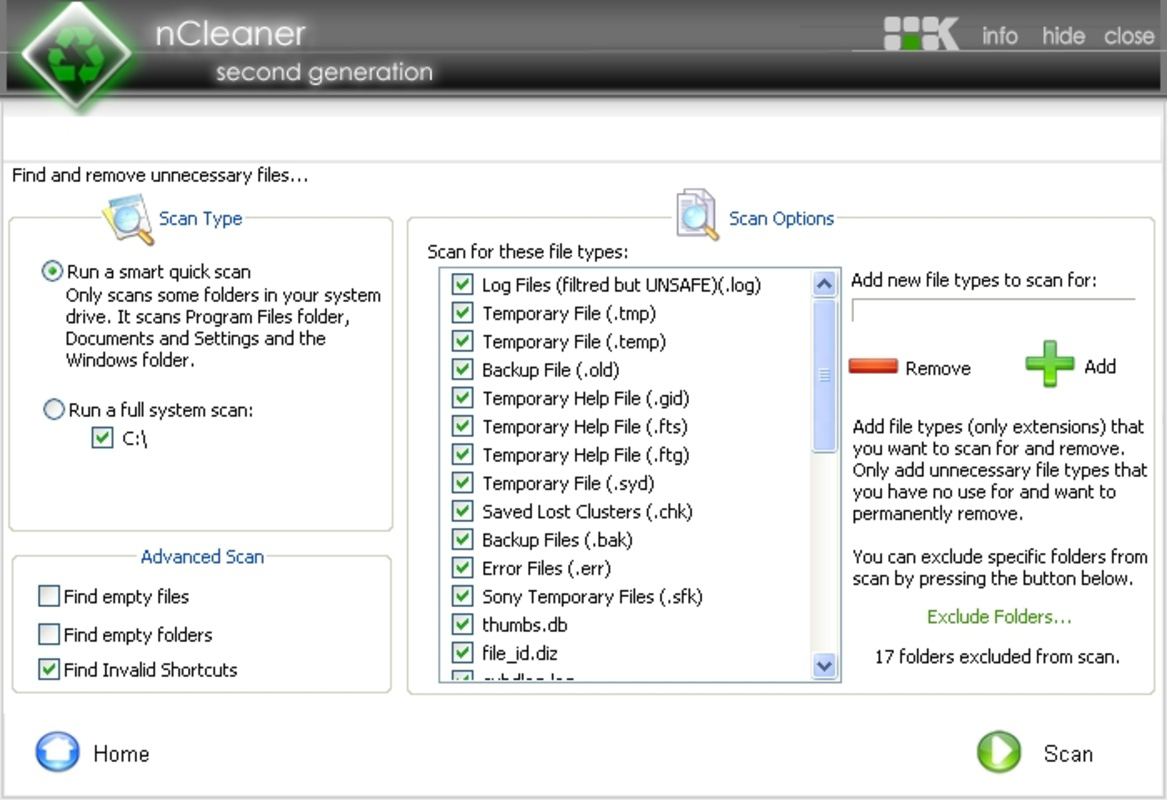
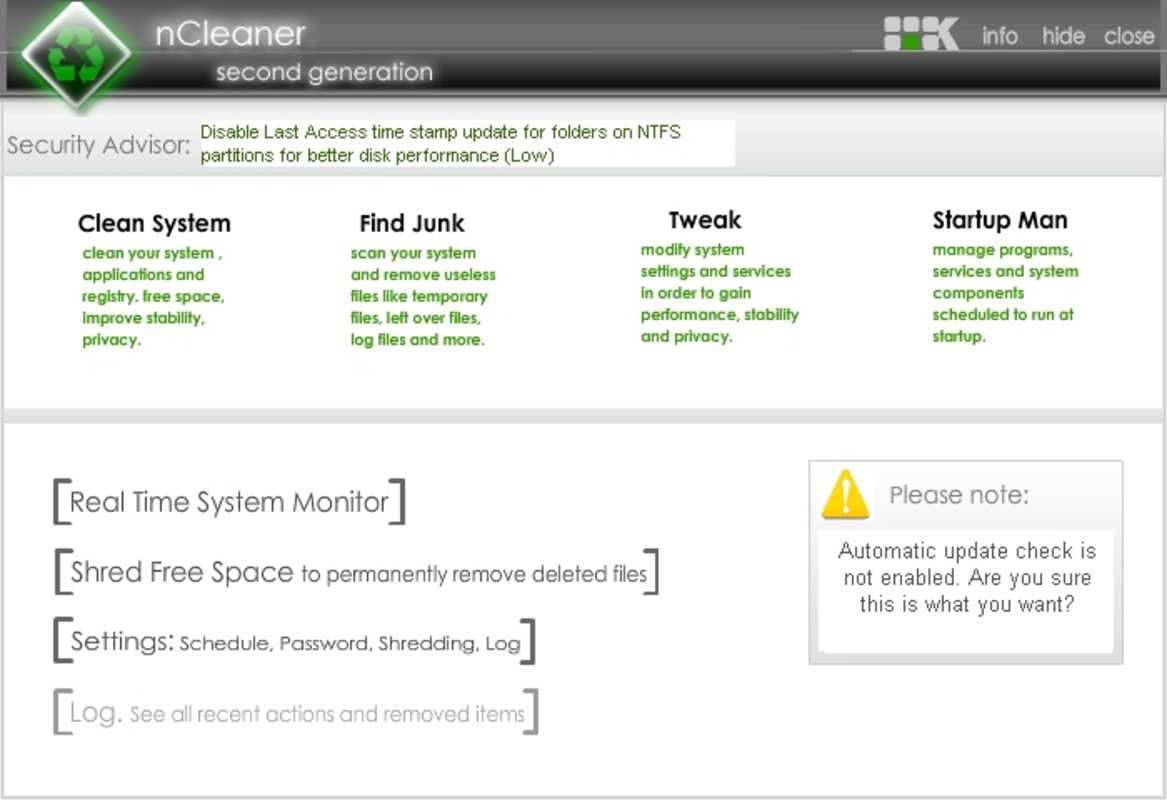
App details
- Updated
- Jul 13, 2007
- Language
- English
- Developer
- NKProds
- Category
- Mobile
SoftPas in:
This product is also available in the following languages:
About nCleaner
Download nCleaner – system optimization, disk cleanup, performance booster, PC cleaner, file cleanup
Overview
nCleaner is a utility tool designed to enhance system performance by removing unnecessary files and optimizing resource usage. Its primary purpose is to address the gradual degradation of PC performance caused by the accumulation of temporary files, cache data, and other digital clutter. The app targets users who experience slowdowns over time, particularly those with Windows systems older than three months. By freeing up disk space—reported to be up to 400 MB after several months of use—nCleaner helps maintain a more responsive and efficient computing environment.
The tool is especially beneficial for individuals seeking a straightforward solution to system maintenance without requiring advanced technical knowledge. Whether used by casual users managing personal devices or by professionals maintaining multiple workstations, nCleaner offers a lightweight approach to digital hygiene. Its long-standing presence in the software ecosystem, with a release date of 2007-07-13, reflects its reliability and enduring relevance in the productivity category.
The developer, nCleaner, has not provided additional background information. However, the app’s continued availability and consistent updates suggest a stable development cycle. Real-world use cases include regular system cleanup, pre-upgrade preparation, and privacy-focused file removal. In a digital landscape where performance and data integrity are critical, nCleaner fills a niche as a dependable, no-frills utility for maintaining optimal PC operation.
Key Features & Functionality
- Comprehensive Cleaning Modules: nCleaner includes five distinct cleaning modules, each targeting specific types of system clutter. These modules ensure that both the operating system and installed applications are thoroughly optimized, contributing to overall stability and speed.
- Significant Space Savings: For users with Windows installations older than three months, the app can reclaim approximately 400 MB of disk space. This is particularly valuable for devices with limited storage capacity, helping users avoid performance bottlenecks caused by full drives.
- Boosts PC Performance: By eliminating redundant files and streamlining system resources, nCleaner enhances application responsiveness and multitasking efficiency. Users may notice faster boot times and smoother operation when running multiple programs simultaneously.
- User-Friendly Interface: The interface is designed for accessibility, featuring clear navigation and straightforward options. This makes it suitable for users with minimal technical experience, enabling them to perform system maintenance independently.
- Enhanced Privacy Protection: Beyond cleanup, nCleaner removes potentially sensitive data such as browsing history, temporary files, and cached credentials. This feature supports users concerned about digital privacy and data exposure.
These features collectively support real-world scenarios such as preparing a computer for a major update, clearing space before installing new software, or securing a device before sharing or selling it. The modular approach ensures that users can customize the cleanup process based on their needs, balancing thoroughness with control.
Interface, UX & Performance
nCleaner presents a clean, minimalistic interface focused on functionality and ease of navigation. The layout is organized around core actions—scanning, selecting cleanup options, and executing the process—ensuring users can complete tasks without confusion. Visual cues and progress indicators guide users through each step, minimizing the risk of errors.
Navigation is intuitive, with primary functions accessible from the main screen. The app avoids clutter, prioritizing essential tools and reducing cognitive load. This design philosophy supports both novice users and those familiar with system maintenance tools. Although the developer did not list formal performance metrics, the app’s lightweight size of 1.8 MB suggests efficient resource usage.
Performance across different device categories appears consistent, given its low file size and minimal system footprint. Responsiveness during scanning and cleanup operations is expected to be prompt, especially on systems with adequate RAM and processing power. Stability is likely maintained through regular updates, though specific details on crash rates or memory leaks were not disclosed. Overall, the UX reflects a mature tool built for reliability and simplicity.
Platform Compatibility & Technical Requirements
nCleaner is designed for the Windows platform and is compatible with Windows operating systems. The current version is 4.2.1, released on 2007-07-13. The application has a file size of 1.8 MB, indicating a lightweight footprint that requires minimal system resources to run.
The developer did not specify minimum OS requirements or compatibility details beyond the platform. As such, users should verify system compatibility based on their installed Windows version. The app is available at no cost, making it accessible to a broad audience seeking a free utility for system optimization.
Given its age and continued availability, nCleaner may support older Windows versions, though this has not been confirmed. Users should exercise caution when installing software from long-standing developers and ensure the source is secure before downloading or updating.
Pros and Cons
Pros
- Free to download and use, making it accessible for budget-conscious users.
- Lightweight file size (1.8 MB) ensures minimal impact on system resources.
- Offers multiple cleaning modules for comprehensive system optimization.
- User-friendly interface suitable for non-technical users.
- Provides privacy protection by removing sensitive data remnants.
Cons
- Specific compatibility details for OS versions were not provided.
- Developer did not list performance benchmarks or technical specifications.
- App has not been updated since 2007, raising questions about current security and compatibility.
- Limited information on update frequency or future development plans.
- May lack modern features found in newer system optimization tools.
FAQ
Is nCleaner safe to install on my PC?
Yes, nCleaner is a free utility designed for system optimization. However, as with any software, it is recommended to download it only from official or trusted sources to ensure security.
Can I use nCleaner on older versions of Windows?
The developer did not specify minimum OS requirements. While the app has been available since 2007, compatibility with current or older Windows versions should be verified based on your system configuration.
Does nCleaner require an internet connection to work?
Based on available information, nCleaner operates offline and does not require an internet connection to perform cleaning tasks.
How often should I run nCleaner?
Users may benefit from running the app periodically—such as monthly or before major system updates—to maintain optimal performance and free up disk space.
Is nCleaner regularly updated?
The app was last released on 2007-07-13. The developer has not provided information on update frequency, so users should exercise caution and monitor for potential compatibility or security issues.
Final Thoughts
nCleaner stands as a long-standing utility in the productivity space, offering a no-frills solution for system cleanup and performance optimization. Its lightweight design, free access, and focus on user accessibility make it a compelling choice for individuals managing older or low-storage Windows systems. While its age raises concerns about modern compatibility and security, its core functionality remains relevant for basic disk cleanup and privacy protection.
For users seeking a simple, reliable tool to free up space and improve system responsiveness, nCleaner delivers value without complexity. It is especially useful for those who prefer minimalistic software with clear, focused goals. However, users should remain cautious about outdated software and verify the source before installation.
Download nCleaner now
Guides & Tutorials
How to install nCleaner
- Click the Download button above.
- Once redirected, accept the terms and click Install.
- Wait for the nCleaner download to finish on your device.
How to use nCleaner
This software is primarily used for its core features described above. Open the app after installation to explore its capabilities.
User Reviews
No reviews yet. Be the first to share your experience.
You may also like
more
Que no te pillen¡
About !Que no te pillen¡Reviewed by Jason A. BilbreyShow MoreShow Less

3D Combat Zone
About 3D Combat ZoneOriginally released in 1983, 3D Combat Zone immerses players...

666: El día del portal
About 666: El día del portalOn June 6, 2006, Agent P. Stone uncovers a sinister...

80 in 1 Best Flash games
About 80 in 1 Best Flash games 80 in 1 Best Flash games is a collection of 80 fl...

ABYSS SEEKERーーWhat Do You See Deep in The Abyss
About ABYSS SEEKERーーWhat Do You See Deep in The AbyssIn ABYSS SEEKER, players...

ACA NEOGEO THE KING OF FIGHTERS 2002 for Windows
About ACA NEOGEO THE KING OF FIGHTERS 2002 for WindowsTHE KING OF FIGHTERS 2002,...